

Introduction
Finding the perfect peripheral is a transformative step for any PC enthusiast. Among your setup, the best gaming mice for every budget serve as the most critical bridge between your physical reflexes and the virtual world. In 2026, the market is packed with diverse options, ranging from ultra-lightweight competitive models to feature-rich ergonomic designs. Whether you are a beginner exploring your first mechanical peripheral or an intermediate player hunting for a specific sensor advantage, choosing the right tool is no longer just about the highest DPI. It is about finding the shape, weight, and responsiveness that naturally harmonize with your unique grip style.
This comprehensive guide is designed to navigate the complexities of modern hardware without the fluff. We will break down essential performance metrics, explain the importance of sensor consistency, and highlight how to select a high-quality pointer that fits your wallet. A reliable gaming mouse is not merely about flashy RGB or marketing jargon; it is about providing the precision and comfort required for long, intense gaming sessions. By understanding the core features that define professional-grade equipment, you can invest in a device that elevates your gameplay and provides a consistent experience that translates directly to your in-game performance.
Ultimately, we aim to guide you through the technical jargon to uncover the true value behind modern peripherals. Let us explore the best choices available this year, ensuring you find a perfect match that offers the best value for your hard-earned money. By the end of this guide, you will have the knowledge required to navigate the marketplace with confidence and pick a reliable, high-performance mouse that helps you reach your full potential in every match you play, regardless of your experience level.
What is a Gaming Mouse?
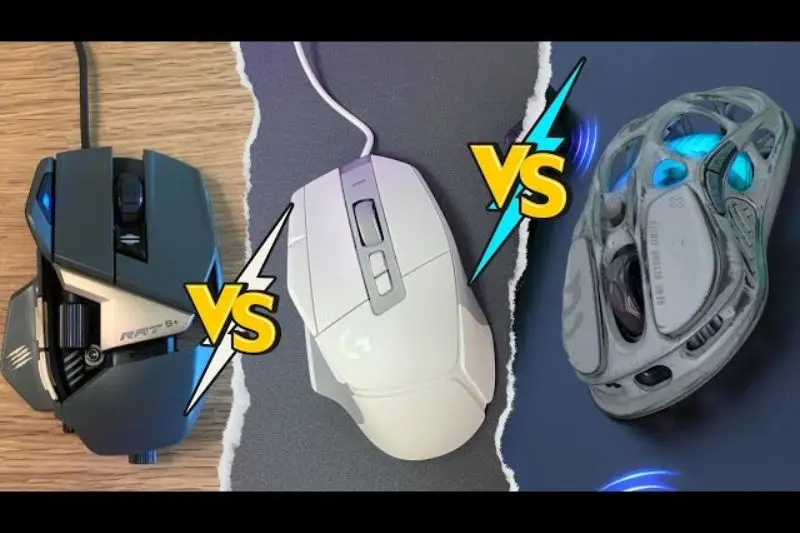
A gaming mouse is a precision-engineered input device designed to outperform standard office hardware. While a regular mouse handles basic clicks and navigation, these specialized tools are built for high-speed tracking, rapid inputs, and extreme durability.
At its core, a gaming mouse features a high-performance optical or laser sensor capable of tracking movement with perfect accuracy. They also incorporate high-quality switches designed to withstand millions of clicks, specialized feet for smooth gliding, and software that allows you to customize sensitivity, macros, and lighting. They are built specifically to reduce latency and improve your reaction times in high-pressure games.
Why is a Gaming Mouse Important?
Upgrading to the best gaming mice for every budget is one of the most effective ways to improve your performance. Here is why the upgrade matters:
- Precision Tracking: High-end sensors ensure that every micro-adjustment you make is translated accurately on screen without acceleration or jitter.
- Reduced Latency: Gaming-grade internal electronics and advanced wireless protocols minimize input lag, ensuring your character reacts the moment you click.
- Ergonomics: These mice are contoured to support specific grip styles (palm, claw, or fingertip), which reduces hand fatigue and prevents long-term strain.
- Customization: Programmable buttons allow you to execute complex game commands instantly, streamlining your workflow and gameplay efficiency.
- Consistency: Unlike basic hardware, these mice provide a predictable “feel,” which is essential for building the muscle memory needed to aim consistently.
Detailed Step-by-Step Guide to Choosing Your Mouse
Choosing the right device can feel overwhelming, but following this structured approach will simplify your decision.
1. Identify Your Grip Style
How you hold your mouse dictates which shape will be comfortable for you.
- Palm Grip: Your entire hand rests on the mouse. Look for larger, ergonomic, and contoured shapes.
- Claw Grip: Your palm rests on the back, with your fingers arched. Medium-sized, symmetrical mice are often the best choice here.
- Fingertip Grip: Only your fingertips touch the surface. Smaller, ultralight, and compact designs work best to allow for maximum flicking agility.
2. Consider Weight and Build
Weight is a major factor in 2026. If you play fast-paced shooters, a lighter mouse (often under 65g) reduces fatigue and allows for quicker reactions. If you prefer stability or play strategy games, a slightly heavier mouse might feel more controlled and solid.
3. Evaluate the Sensor
Do not just look at the DPI count. A sensor with 26,000 DPI is useless if it has built-in smoothing or jitter. Instead, look for reputable sensor models from brands like PixArt. Most intermediate players will find that any sensor rated for 10,000+ DPI is more than enough for competitive play.
4. Wired vs. Wireless Connectivity
The gap between wired and wireless has effectively closed. Modern wireless technology offers performance indistinguishable from a cord. If you want a clean desk, go wireless. If you are on a strict budget, a high-quality wired mouse often provides the same performance for significantly less money.
Benefits of the Best Gaming Mice for Every Budget
Upgrading to a dedicated gaming peripheral offers clear, tangible benefits:
- Improved Accuracy: Consistent tracking allows for better muscle memory and more precise aim.
- Customizable DPI: Change your sensitivity on the fly to match different gaming scenarios or monitor resolutions.
- Enhanced Durability: Using switches rated for 50–80 million clicks ensures your device won’t fail during a critical moment.
- Programmable Macros: Bind complex ability rotations or item shortcuts to side buttons to save time.
- Better Glide: High-quality PTFE (Teflon) mouse feet ensure that the mouse moves smoothly across your pad with minimal friction.
- Aesthetics: Most models feature customizable RGB lighting that can be synced with the rest of your gaming setup.
Disadvantages / Risks
It is important to consider the potential downsides before committing to a purchase:
- Higher Cost: Quality hardware comes with a price tag, though excellent budget options exist.
- Learning Curve: Switching to a new shape or weight can temporarily hurt your aim as your muscle memory adjusts.
- Software Bloat: Some proprietary software suites can be resource-heavy or difficult to navigate for beginners.
- Maintenance: Open-shell or honeycomb designs can trap dust and moisture over time, requiring regular cleaning.
- Battery Management: Wireless models require charging, which can be an annoyance if you are not accustomed to managing peripherals.
Common Mistakes to Avoid
Many gamers accidentally waste money by focusing on the wrong features. Avoid these common pitfalls:
- Chasing High DPI: More DPI is not better. Most pro players stick to 400–1600 DPI. Don’t pay extra for “30,000 DPI” if you won’t use it.
- Ignoring Hand Measurements: If you have small hands, a massive ergonomic mouse will feel uncomfortable and heavy. Use a measuring tape to check your hand length against manufacturer dimensions.
- Prioritizing RGB over Sensor: A mouse that glows beautifully but skips pixels is a failure. Always prioritize sensor and switch quality over lighting.
- Buying “Generic” Brands: Stick to brands with proven track records for sensors and switches. Cheap clones often suffer from poor latency and rapid wear.
- Overlooking Software Compatibility: Ensure the mouse’s configuration software is compatible with your version of Windows or macOS.
1. Is a 20,000 DPI mouse really better?
Not necessarily. DPI only determines sensitivity. The quality of the sensor (its ability to track without skipping or smoothing) is far more important for gaming performance than the maximum DPI number.
2. Can I use a wireless gaming mouse for competitive play?
Yes. Modern wireless technology is just as fast and stable as a wired connection. Latency is no longer a concern with reputable gaming brands.
3. What is the best weight for a gaming mouse?
It depends on your genre. FPS players typically prefer ultralight mice (below 60g) for fast flicks. MMO players often prefer heavier mice (80g+) that have more side buttons for complex keybinds.
4. Should I get an ambidextrous or ergonomic shape?
Ergonomic mice are designed specifically for right-handed users to maximize comfort. Ambidextrous mice are symmetrical and generally offer more flexibility for different grip styles.
5. How often should I replace my mouse?
A high-quality mouse should last 3–5 years. If you start experiencing “double-clicking” (where one press registers as two) or the sensor starts feeling inconsistent, it may be time for an upgrade.
6. Do I need special software for my mouse?
Software is helpful for setting up macros and RGB, but most top-tier mice have “onboard memory.” You can save your settings to the mouse itself, then uninstall the software to keep your computer clean.
Expert Tips & Bonus Points
To maximize the performance of your peripheral, you must treat your hardware with the same care as any other precision instrument. A major factor often overlooked is surface quality; even the best gaming mice for every budget will struggle on a worn, dirty, or uneven desk mat. Invest in a high-quality, cleanable cloth or hybrid mousepad, and make it a habit to wipe it down weekly. Dust and debris can settle into the sensor window, leading to jittery tracking or erratic cursor jumps during intense gameplay. A quick blast of compressed air into the sensor lens—without making physical contact—can restore tracking accuracy instantly.
Furthermore, optimization of your software settings is paramount. Always disable “Enhance Pointer Precision” (mouse acceleration) within Windows settings. Acceleration forces your cursor speed to vary based on how quickly you flick your wrist, which prevents the development of consistent muscle memory. Instead, aim for a 1:1 movement ratio, where the physical distance moved on the pad always equals the same distance in-game. For DPI and polling rate, avoid the temptation to max out settings. Most competitive players find the “sweet spot” at 800–1600 DPI and a 1,000Hz polling rate. While 4,000Hz or 8,000Hz polling rates are available, they demand significant CPU overhead and offer diminishing returns for most users.
Finally, consider the maintenance of the mouse feet, or “skates.” These PTFE (Teflon) feet will inevitably wear down over months of heavy use, leading to increased friction and an inconsistent glide. Replacing these skates is an inexpensive and simple process that can make an older mouse feel brand new. By keeping your sensor clear, ensuring raw input is enabled in your game settings, and maintaining your mousepad surface, you ensure that your hardware remains a reliable, high-performance extension of your own hand.
Conclusion
Selecting the best gaming mice for every budget is a journey of refinement that directly impacts your competitive edge and daily enjoyment of PC gaming. Throughout this guide, we have demystified the technical aspects of sensors, grip styles, and connectivity, demonstrating that you do not need to break the bank to find a high-quality tool. The most critical takeaway is that your mouse should feel like an extension of your body. Whether you are a fan of ultralight, honeycomb-shell designs for fast-paced shooters or prefer a heavier, feature-rich ergonomic model for complex strategy games, the right choice is always defined by your personal comfort and how well the device matches your unique playstyle.
In 2026, the technology has reached a point where even entry-level gaming peripherals offer performance that rivals professional-grade gear from only a few years ago. By avoiding common traps—such as chasing uselessly high DPI numbers or prioritizing RGB aesthetics over sensor consistency—you can focus your investment on what truly matters: reliable switches, accurate tracking, and a shape that prevents fatigue. Remember that high-end performance is not about the most expensive price tag; it is about finding a tool that provides the consistency needed to build strong muscle memory.
As you integrate your new mouse into your setup, do not hesitate to spend time in training modes to adjust your sensitivity and ensure your settings are perfectly calibrated. Turn off mouse acceleration, clean your sensor regularly, and take care of your mouse feet to ensure the longevity of your purchase. Your mouse is the primary bridge between your intent and the digital action; when it responds exactly as you expect, the game becomes more immersive, and your potential for victory grows. Take your time, weigh the options against your specific hand size and grip preference, and make a decision that aligns with your gaming goals. With the right piece of hardware beneath your palm, you are ready to climb the leaderboards, execute precise maneuvers, and enjoy the very best that modern gaming has to offer. Happy gaming!
